The Annoyance
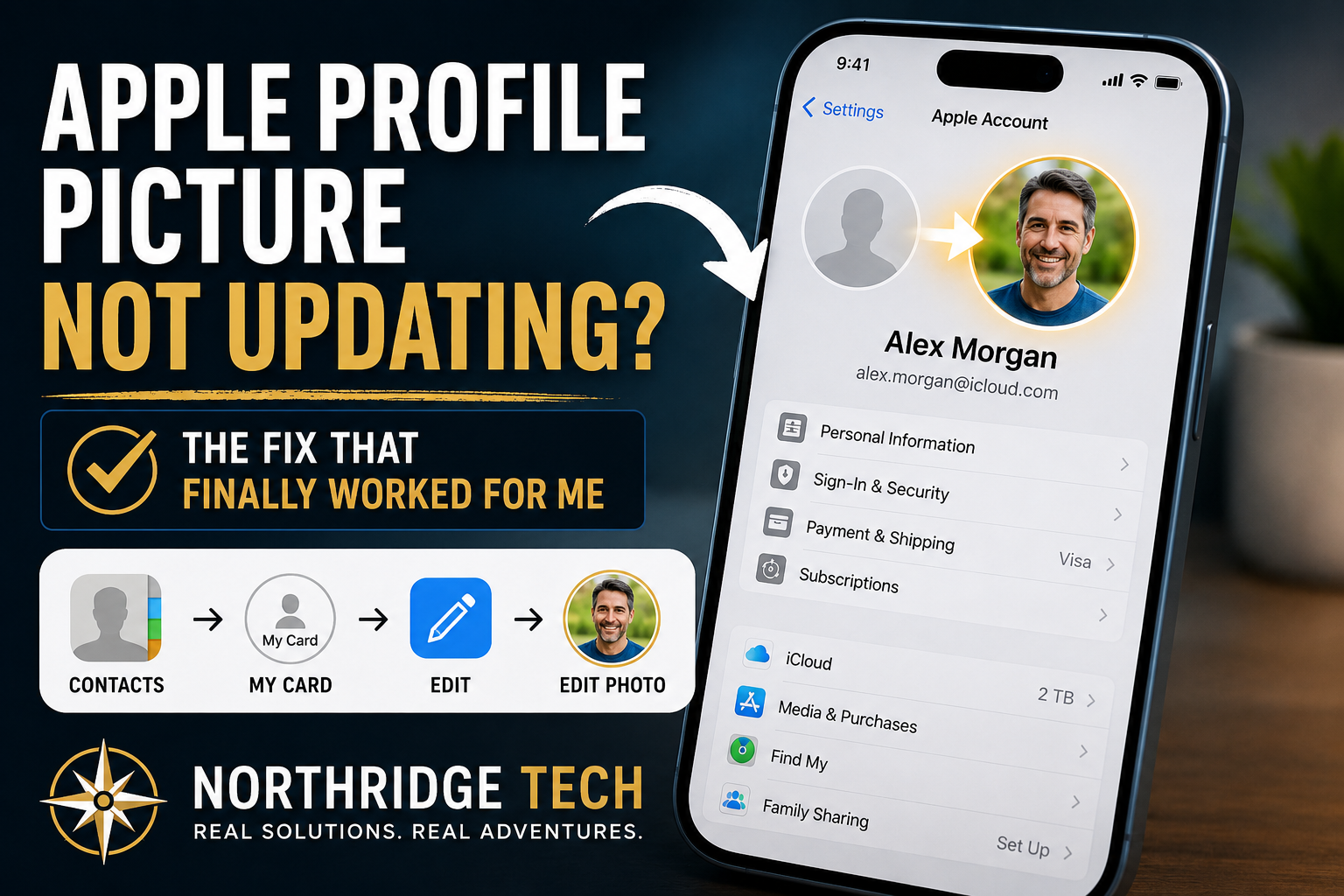
I recently tried changing my Apple profile picture, and for whatever reason, it would not stick. I tried changing it from my iPhone. I tried from my iPad. I went through the Apple Account screen like you would expect, picked the new image, saved it, and somehow the old picture still kept hanging around.
Classic Apple moment: simple thing, weirdly annoying.
What Finally Worked
The fix was not where I expected it to be. Instead of only changing the image under my Apple Account, I changed it through my contact card.
Contacts → My Card → Edit → Edit PhotoAfter updating the image there, the new picture showed up correctly on my Apple Account screen too. So in my case, the Contacts card was clearly tied into the Apple profile photo sync.
Why This Is Confusing
Apple has a few different places where your “profile” image appears:
- Apple Account photo
- Contacts “My Card” photo
- Messages Share Name & Photo
- iCloud-synced identity across devices
The problem is that these do not always behave like separate things. Sometimes changing the Apple Account photo works. Sometimes the Contacts card seems to win. Sometimes one device updates before another. And sometimes it just looks like nothing saved at all.
Part of the issue may come from how Apple ties together iCloud identity data, Contacts syncing, and Messages profile sharing. Depending on which device updates first, cached profile images can sometimes linger even after you save a new one.
My Working Fix
Here is the order I would try now:
- Open Contacts.
- Open your own contact card, usually labeled My Card.
- Tap Edit.
- Change the photo there.
- Save it.
- Then check Settings → Apple Account and see if the new image appears.
For me, that finally forced the new image to show up correctly.
One More Place to Check
If the image still acts weird, check Messages too:
Settings → Messages → Share Name & PhotoThat setting can also affect what other people see when you message them, so it is worth checking if your profile image looks right in one place but wrong somewhere else.
You may also want to restart your iPhone or iPad after changing the image. In some cases, iCloud syncing appears delayed until the device refreshes background account data.
Final Thought
This is one of those small tech annoyances that should be simple but somehow turns into a little troubleshooting session. On my iOS 26.x setup, changing the image through Contacts → My Card fixed it when changing it directly through the Apple Account screen did not.
Not a huge problem. Just one of those things that makes you mutter at your phone for a few minutes.
If you enjoy weird little real-world tech fixes like this, that is basically what The Tech Voyager is built around.