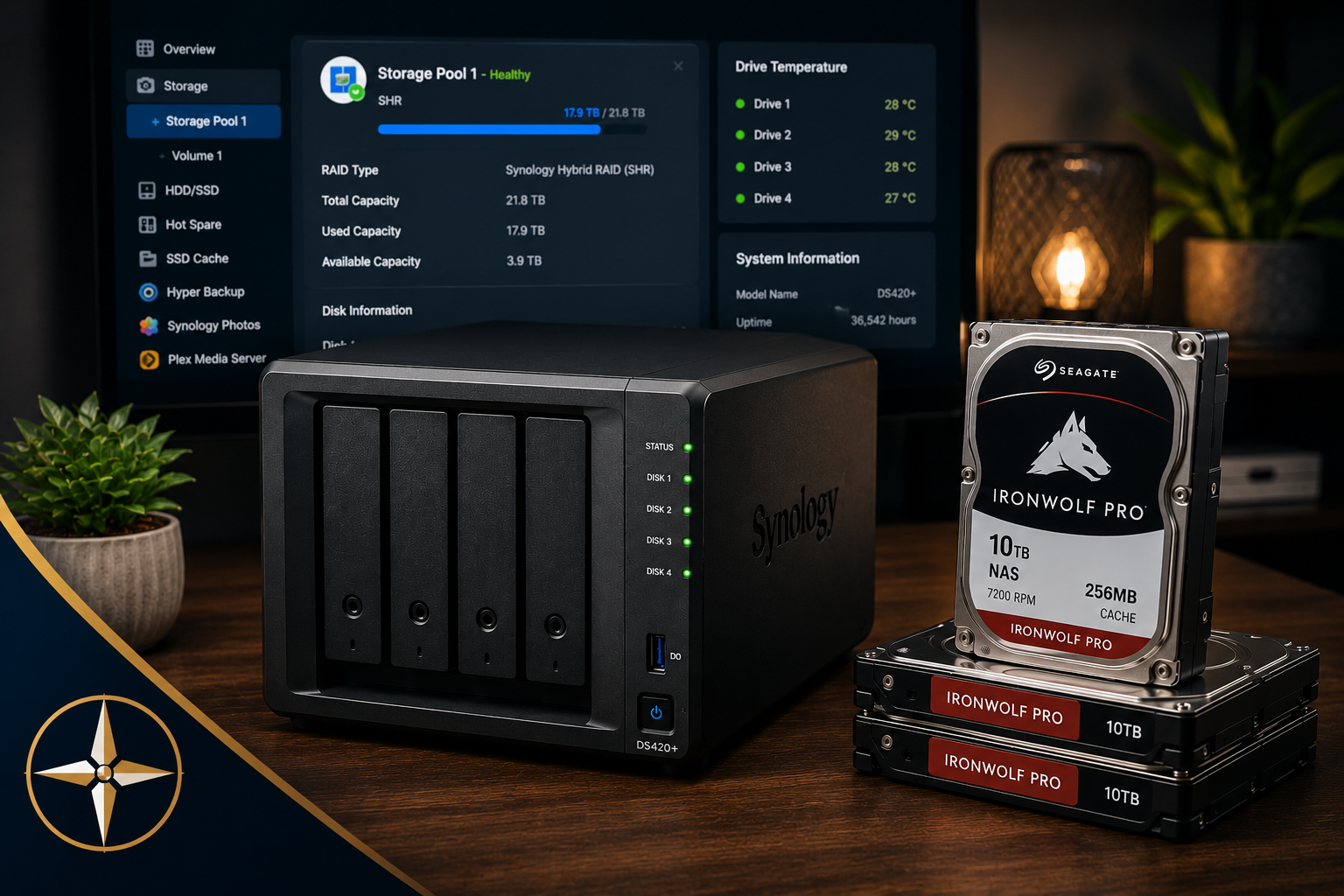
BLUF: My Synology DS420+ has been running continuously since December 2020. After more than five years of Plex streaming, photo storage, website experiments, file sharing, and general home lab use, I recently upgraded part of the storage from 4TB drives to 10TB drives. The experience reminded me why I still believe a home NAS is one of the most useful pieces of technology a person can own.
Related Reading: Hosting WordPress on My Synology NAS
By the Numbers
- Purchased: December 2020
- NAS Model: Synology DS420+
- Runtime: 36,000+ hours on original drives
- Original Drives: 4TB Seagate IronWolf
- Upgrade Drives: 10TB Seagate IronWolf Pro
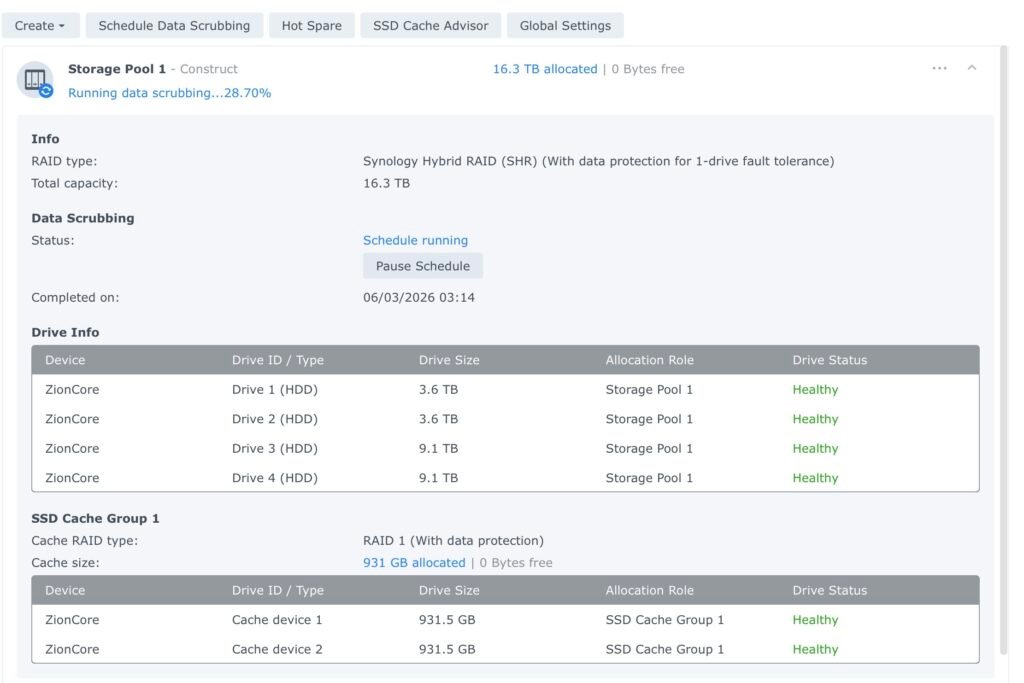
- RAID Type: Synology Hybrid RAID (SHR)
- Primary Uses: Plex, Synology Photos, personal cloud storage, file sync, website experiments, and home backups
There is something satisfying about owning equipment that simply does its job.
In a world where phones are replaced every few years and software seems to change every month, my Synology DS420+ has quietly sat in a closet running 24 hours a day, seven days a week, for more than five years.
When I purchased it in December 2020, my goal was fairly simple. I wanted a central place to store my media library, family photos, documents, and backups. At the time, I also wanted to learn more about self-hosted services and experiment with running a few websites from home.
What I did not expect was just how reliable the system would become.
Why I Bought a Synology NAS
Over the years, the NAS has served multiple purposes. It has hosted my Plex media library, stored family photos through Synology Photos, synchronized files across devices, and provided a place to experiment with web hosting and self-hosted applications.
In many ways, it became my personal cloud.
The interesting thing is that after the initial setup, I rarely had to think about it.
A NAS Is Not Trying to Replace Apple or Google
Like many people, I was heavily invested in the Apple ecosystem. Apple makes it easy to store photos in iCloud and keep devices synchronized. Google offers similar services. The convenience is undeniable.
What took me a while to understand is that a NAS is not really competing with Apple or Google. It is simply giving you another option.
A Synology NAS lets you store your own data, manage your own backups, and access your files without handing everything over to a third-party service. For some people, that is not important. For others, it can be incredibly valuable.
The Misconception: A NAS Is Too Complicated
One of the biggest misconceptions I hear is that running a NAS is complicated.
In reality, once I got past the initial learning curve, it became surprisingly easy. Synology’s software has matured significantly over the years. Applications like Synology Photos, Drive, and Hyper Backup are polished and reliable.
The biggest challenge is often retraining yourself to think beyond the Apple or Google way of doing things.
The Storage Upgrade
Recently, I decided it was time to upgrade my storage.
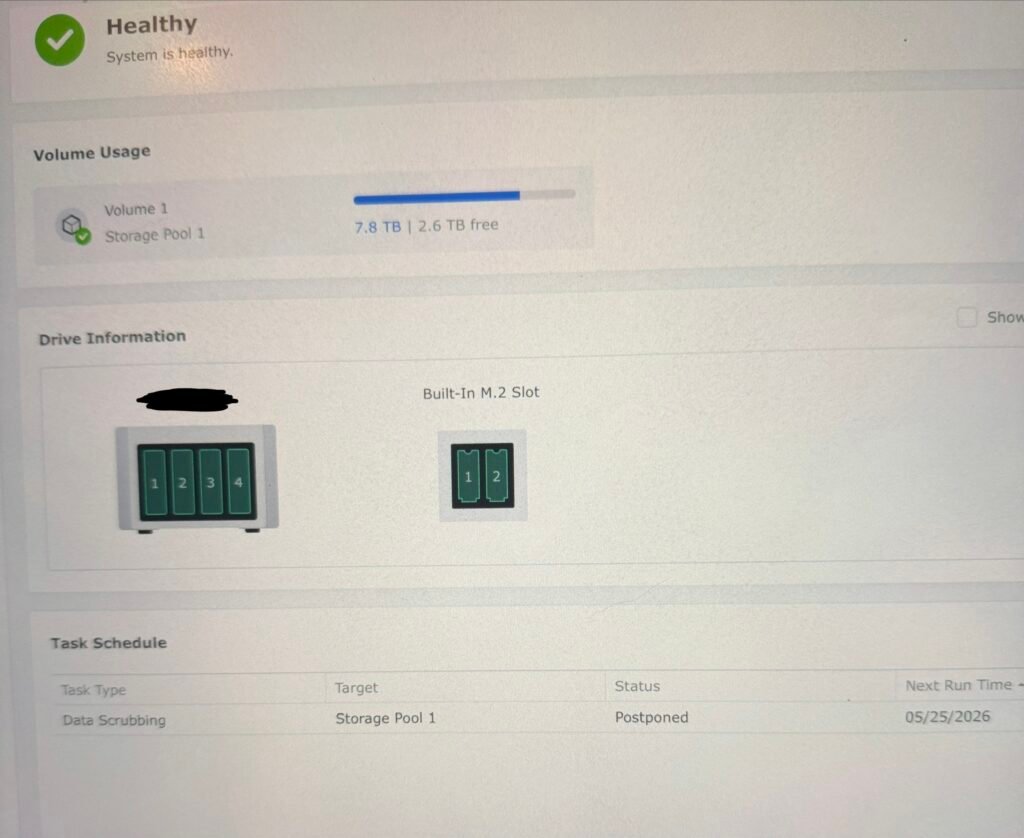
The original 4TB Seagate IronWolf drives had been running continuously since early 2021. Two of them had accumulated more than 36,000 power-on hours. Despite their age, all four drives were still healthy. A recent storage scrub completed successfully, SMART data looked good, and there were no indications of imminent failure.
Even so, my media library continues to grow.
After verifying the health of two replacement 10TB IronWolf Pro drives, I began replacing the older drives one at a time using Synology Hybrid RAID (SHR).
The process was surprisingly straightforward. Synology walked me through the replacement process, detected the new drives automatically, and rebuilt the storage pool without drama.
What Surprised Me Most
The most surprising part was not the upgrade itself.
It was realizing how well the system had held up after years of continuous operation.
The old drives were still healthy. Temperatures remained excellent. The recent UPS battery replacement was arguably the most significant maintenance item I had performed on the entire system.
That is not something I can say about many pieces of technology I have owned.
More Capacity Without Replacing the NAS
As I write this, the NAS is rebuilding the storage pool with the second 10TB drive installed. Once complete, my available storage will increase significantly, giving me years of additional growth without replacing the NAS itself.
That is one of the underrated benefits of a good NAS setup. The enclosure can continue serving the household for years while the drives are upgraded over time.
My Take on Self-Hosting After Five Years
The experience reinforced something I have believed for a long time.
Owning your own data is not as difficult as people think.
A NAS does not have to be a complicated home lab project. It can simply be a reliable appliance that stores your files, protects your photos, serves your media, and quietly works in the background for years.
My DS420+ has done exactly that.
Lessons Learned
- A NAS does not require constant maintenance once configured properly.
- Storage needs grow faster than expected.
- Drive upgrades are easier than most people think.
- Regular storage scrubs are worth the time.
- UPS protection is just as important as drive protection.
- Self-hosting can complement cloud services rather than replace them.
- Owning your own data provides flexibility that cloud-only setups do not.
Final Thoughts
Five years later, I have no regrets about purchasing the Synology DS420+.
If anything, I wish I had started using a NAS sooner.
What began as a Plex server evolved into a personal cloud, photo repository, backup destination, and testing platform for new projects. Few pieces of technology have delivered as much value while requiring so little attention.
If you are considering a Synology NAS for Plex, backups, family photos, or personal cloud storage and are not sure where to begin, feel free to reach out through The Tech Voyager. I have been running Synology systems for years and can help determine whether a NAS is the right fit for your needs.