
BLUF: I spent nearly 20 minutes resetting a password that wasn’t actually wrong. The real problem turned out to be an interrupted authentication process caused by browser behavior. The experience was a reminder that login failures are not always what they appear to be.
Related Reading: When My Air Conditioner Failed, I Treated It Like an IT Problem
The Problem
Recently, I needed to log into a Shopify-powered website using my iPad.
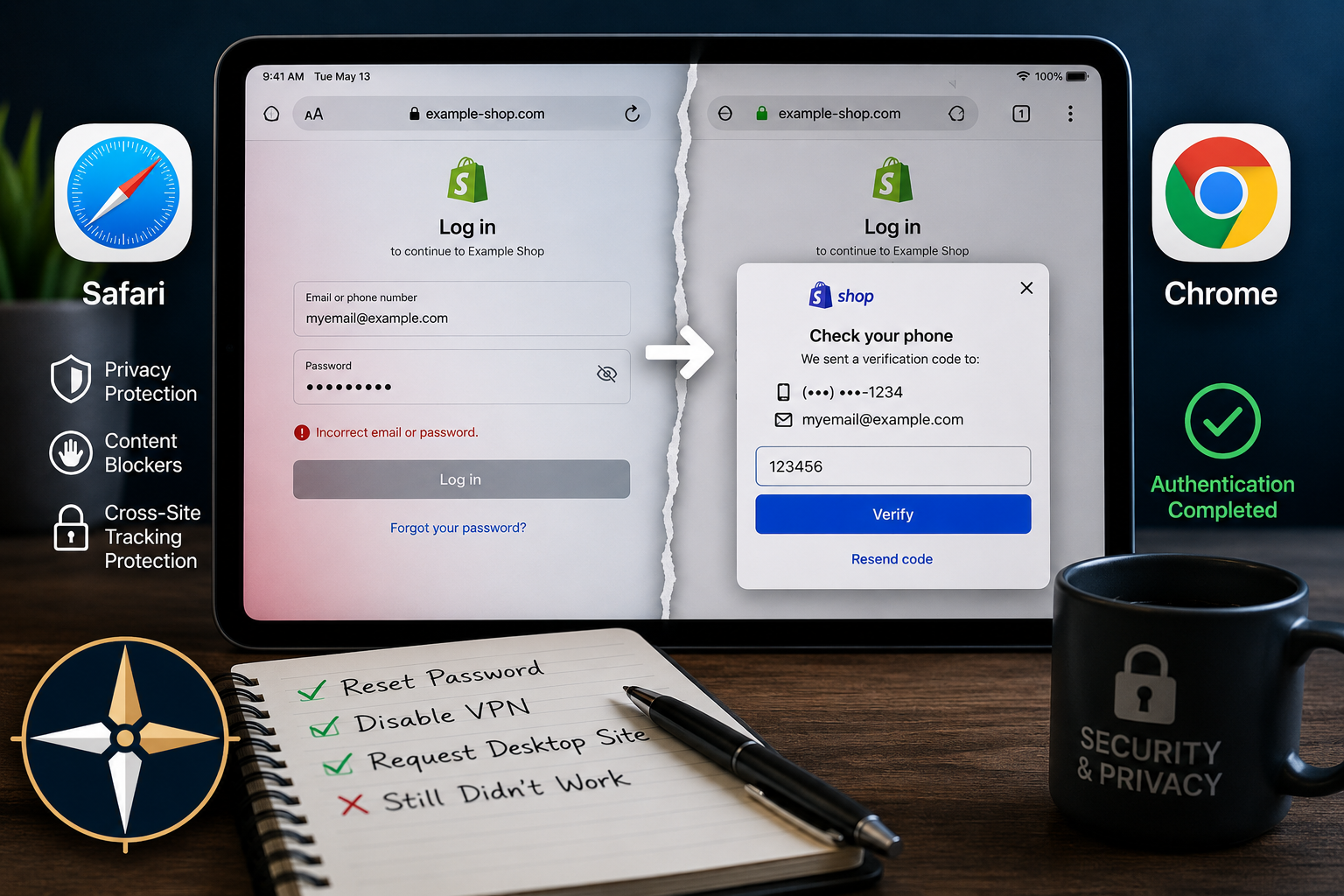
I entered my username and password through Safari and immediately received an error indicating my credentials were incorrect.
No problem. Passwords get forgotten. It happens.
So I reset the password, completed the process successfully, and attempted to log in again.
The same error appeared.
At that point, I was confident the password itself was no longer the issue.
Something else was happening behind the scenes.
What I Tried
Like most troubleshooting situations, I started eliminating variables one at a time.
- Reset the password
- Verified the new password
- Disabled my VPN
- Requested the desktop version of the website
- Attempted the login multiple times
Nothing changed.
The website continued insisting the credentials were incorrect.
From a user’s perspective, everything pointed to a password problem.
From a troubleshooting perspective, the evidence was beginning to suggest otherwise.
The Discovery
After exhausting the obvious possibilities, I opened the same website using Chrome on the same iPad.
Immediately, something appeared that I had never seen in Safari.
A Shop authentication prompt appeared requesting additional verification.
Within seconds, verification codes were sent to both my phone and email account.
I completed the verification process and successfully logged in.
The password had been correct.
The authentication workflow had never completed.
What Was Really Happening?
Modern websites rarely rely on usernames and passwords alone.
Many platforms now use layered authentication systems involving:
- Cookies
- Cross-site authentication
- Embedded login windows
- Verification popups
- Multi-factor authentication
- Device trust relationships
If any portion of that chain is interrupted, the resulting error message can be misleading.
The site may report an invalid password when the real problem is that an authentication window never appeared or a verification request was blocked.
The Privacy Trade-Off
One reason this issue caught my attention is that I generally run additional privacy protections.
VPNs, browser privacy features, content blockers, and tracking protections are all useful tools.
The downside is that some modern websites depend on the very technologies those tools are designed to restrict.
Occasionally, privacy protections and authentication systems collide.
When they do, troubleshooting becomes more complicated than simply checking a password.
The Checklist
The next time a website insists your password is wrong, consider checking the following before resetting it repeatedly:
- Try a different browser.
- Disable VPN software temporarily.
- Check for blocked popups.
- Review content blocker settings.
- Allow cookies if required.
- Verify multi-factor authentication prompts are appearing.
- Test from another device.
These steps can often identify issues that have nothing to do with the password itself.
Lessons Learned
- Error messages are not always accurate.
- Authentication failures often masquerade as password failures.
- Browser behavior matters more than many users realize.
- Privacy tools can occasionally interfere with login workflows.
- Changing one variable at a time remains one of the best troubleshooting methods.
Final Thoughts
The interesting part of this story is not that Safari failed and Chrome worked.
The interesting part is how convincing the original error message was.
Everything suggested the password was wrong.
It wasn’t.
The actual issue was an interrupted authentication process that prevented the website from completing the login workflow.
Like many technology problems, the symptom pointed in one direction while the root cause lived somewhere else entirely.
That’s why effective troubleshooting starts with evidence, not assumptions.