
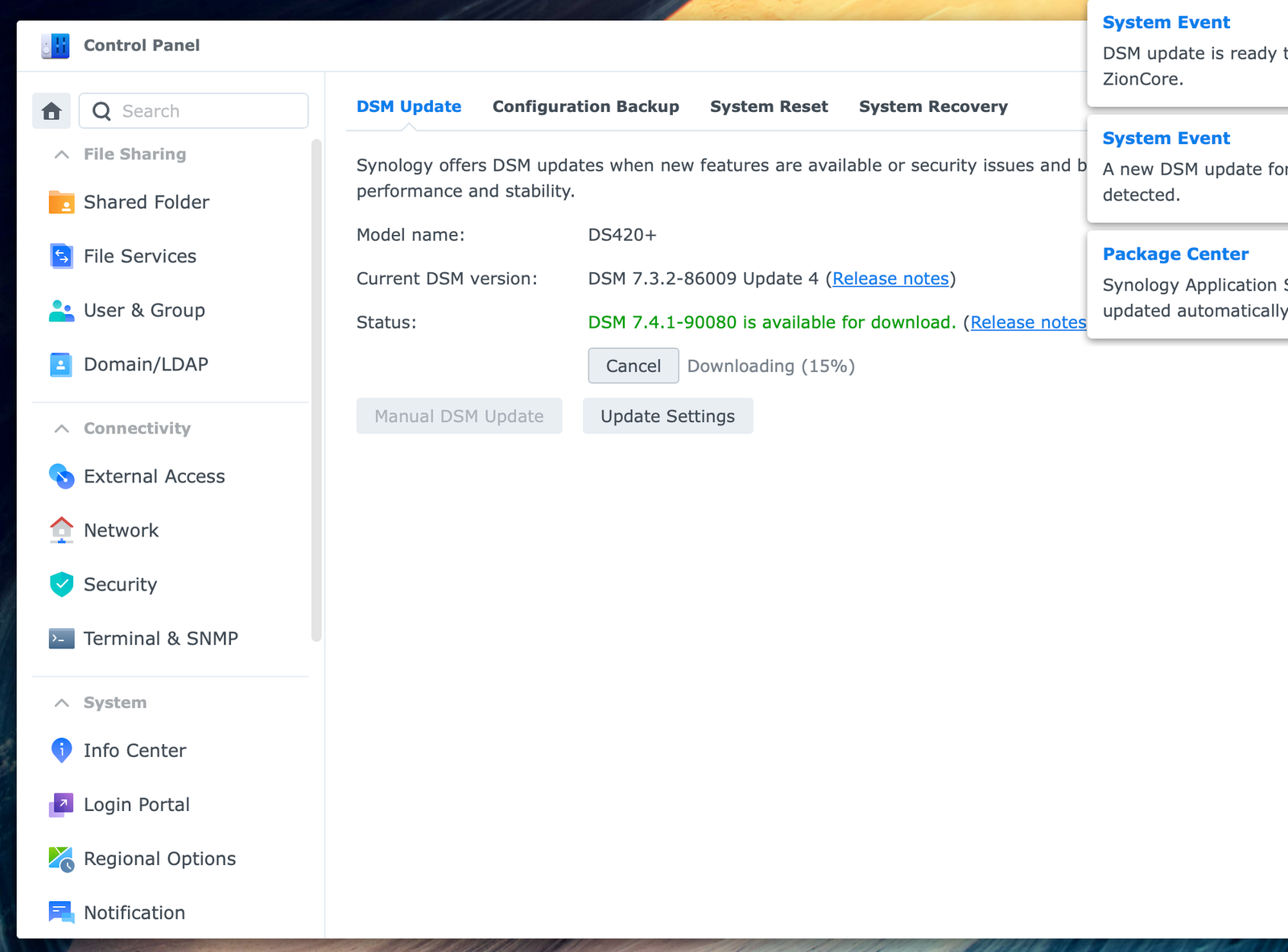
BLUF: DSM 7.4.1 is worth taking seriously if it has reached your Synology NAS, especially because it includes security and reliability fixes. But this is not a casual “click Update and forget it” patch: Synology says it restarts the NAS and does not allow a downgrade afterward. My DS420+ is downloading it now, and I’m treating it like any other home-server maintenance window—make sure backups are healthy, make sure nobody needs the NAS for a few minutes, and then let it finish.
DSM 7.4.1 showed up on my DS420+
I run a Synology DS420+ named ZionCore, and it has been sitting on DSM 7.3.2-86009 Update 4. This morning, DSM offered version 7.4.1-90080. The Control Panel showed the update downloading, which is the kind of small screen that can make a NAS owner pause: an update is good, but the box also holds the things I do not want to casually interrupt.
Synology released DSM 7.4.1-90080 on July 23, 2026. It is being delivered in stages, so two people with compatible NAS units may not see it at the same time. The DS420+ is listed in Synology’s current DSM 7.4.1 download support.
What this update actually fixes
DSM 7.4.1 is primarily a maintenance and security release, not a big new-feature splash. Synology lists fixes involving encrypted-volume backup restores, license-key prompts after certain migrations, hardware-key and approval-sign-in authentication, SSO and SAML sign-in problems, Outlook attachments from File Station, restored notification profiles, and MP3 playback on some UPnP renderers.
Most important: Synology also says the release fixes a security vulnerability, without publishing the vulnerability details in the release notes. That is enough reason not to leave it sitting forever.
The two things worth knowing before you update
Your NAS will restart
That means Plex, file shares, Time Machine targets, downloads, backups, smart-home connections, and anything else running on the NAS can go offline briefly. Pick a time when the house is not actively using it.
You cannot roll back afterward
Synology’s release notes say that once DSM 7.4.1 is installed, you cannot downgrade to an earlier DSM version. That is why I would not update in the middle of a project or without knowing that the important data has a current backup somewhere other than the NAS.
My quick pre-update checklist
- Confirm Hyper Backup or another off-NAS backup completed successfully.
- Make sure no one is copying a large file, streaming something important, or relying on the NAS for work.
- Check that the NAS has stable power; a UPS is a very good idea for any NAS.
- Let the download finish, then allow the restart without interrupting it.
- After it comes back, check DSM, shared folders, Plex or other key packages, and the latest backup log.
None of that is glamorous. It is also how you turn a NAS update from a small panic event into ordinary maintenance.
After the update: run a data scrub
Once DSM is back up, the shares are working, and the backup log looks normal, I also like to schedule a data scrub. On supported Btrfs storage pools, Data Scrubbing checks data integrity and can detect—or, when the right redundancy and checksums are in place, help repair—inconsistencies. It can take a while, so I would schedule it for off-hours instead of immediately piling it on top of the upgrade.
In DSM, go to Storage Manager > Storage, select the storage pool, and look for the Data Scrubbing option. Not every pool supports it: Synology limits it to compatible Btrfs volumes and supported RAID layouts, so the option may simply not appear on a given setup.
Is DSM 7.4.1 a must-install?
For a working DS420+, I would install it after a quick backup check and at a quiet time. It carries security and reliability fixes, and Synology is actively offering it to the model. The tradeoff is simple: plan for a restart and do not count on being able to roll back.
That is the real-world version of the release notes. The download is not the scary part. Updating without a backup plan is.